1. Open the app
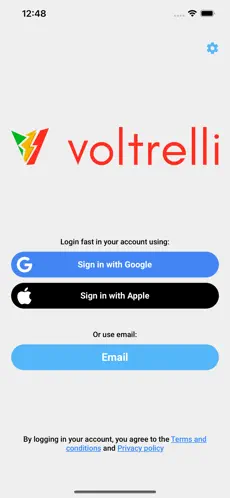
Launch Voltrelli, sign in, and access the map, wallet, charging status, nearby stations, and your profile from the main navigation.
Use the Voltrelli App to find stations, start charging in seconds, track your session live, and manage payment and billing from one place.
From installing the app to unplugging your vehicle, the full journey is designed to stay simple.
Install the Voltrelli App, sign in or create your driver account, and allow the permissions needed for station discovery and notifications.
Add your preferred payment card and complete your billing information as an individual or company so charging and receipts are ready from the start.
Browse nearby chargers, filter by connector and power, check availability, and open the station details before you arrive.
After selecting the station and connector, follow the steps shown in the app or on the charger display. Depending on the equipment, the session can be started from the app, with RFID, by QR code, through AutoCharge or through Plug & Charge for compatible vehicles and charging infrastructure.
Monitor the session live, stop charging when you are ready, unplug the vehicle, and continue your journey.
The screens below are taken from our current usage guide. The app continues to evolve, but the core journey remains the same.
Launch Voltrelli, sign in, and access the map, wallet, charging status, nearby stations, and your profile from the main navigation.
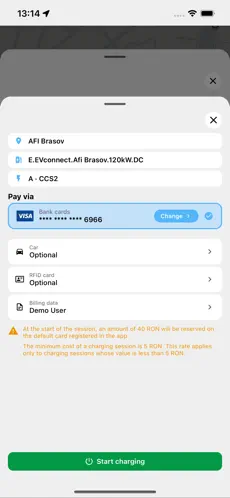
Add a payment card, then complete the billing profile required for receipts and invoicing. Billing details can be configured for an individual or a company.
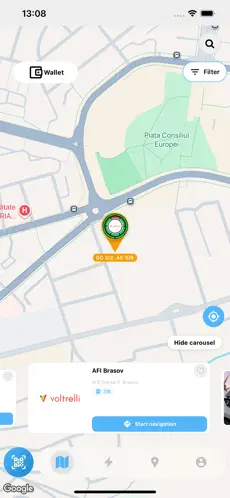
View nearby stations on the map, filter results, and check location, connector availability, pricing, and station information before you travel.
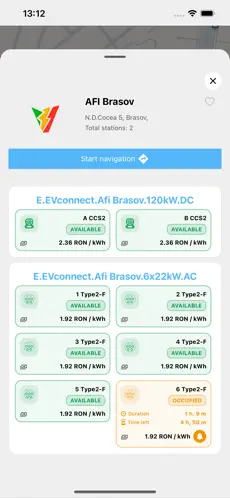
Open the station, review the available connectors, and choose the connector, vehicle, or RFID profile associated with the session when applicable.
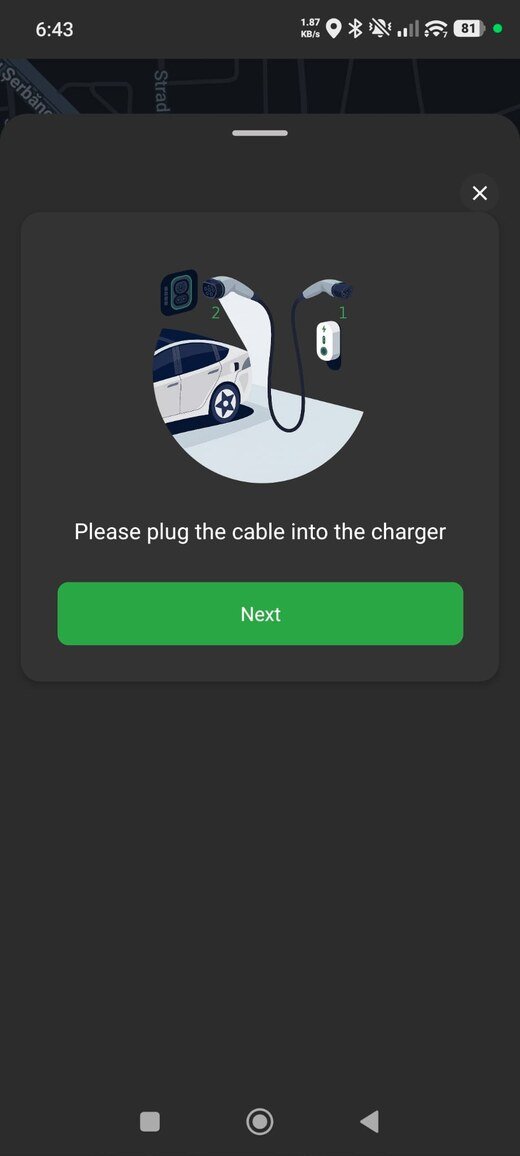
Follow the instructions shown in the app or on the charger display. The required order can vary by equipment. Depending on compatibility and configuration, the session can be started from the app, with RFID, by QR code, through AutoCharge or through Plug & Charge.
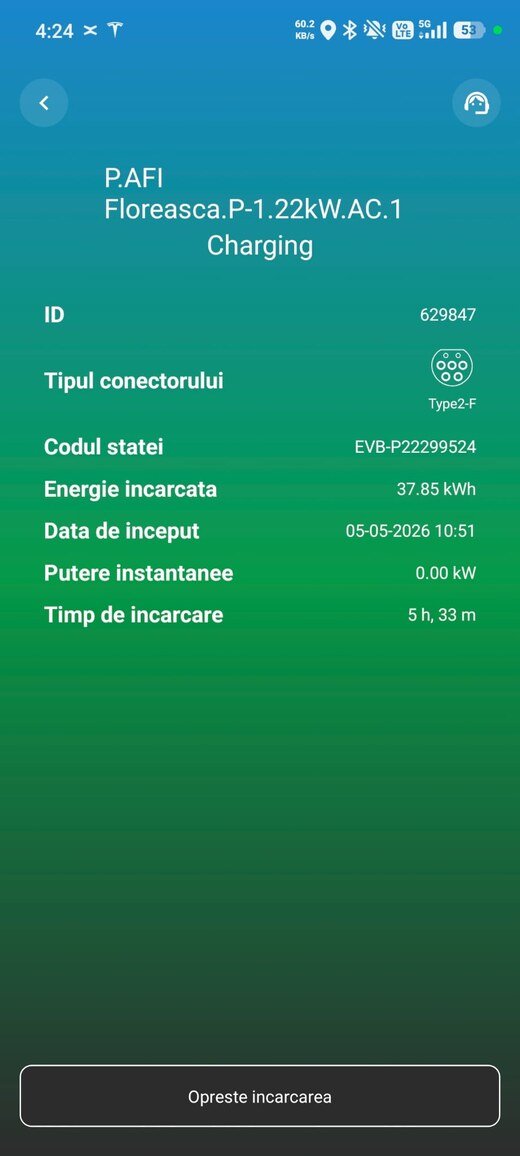
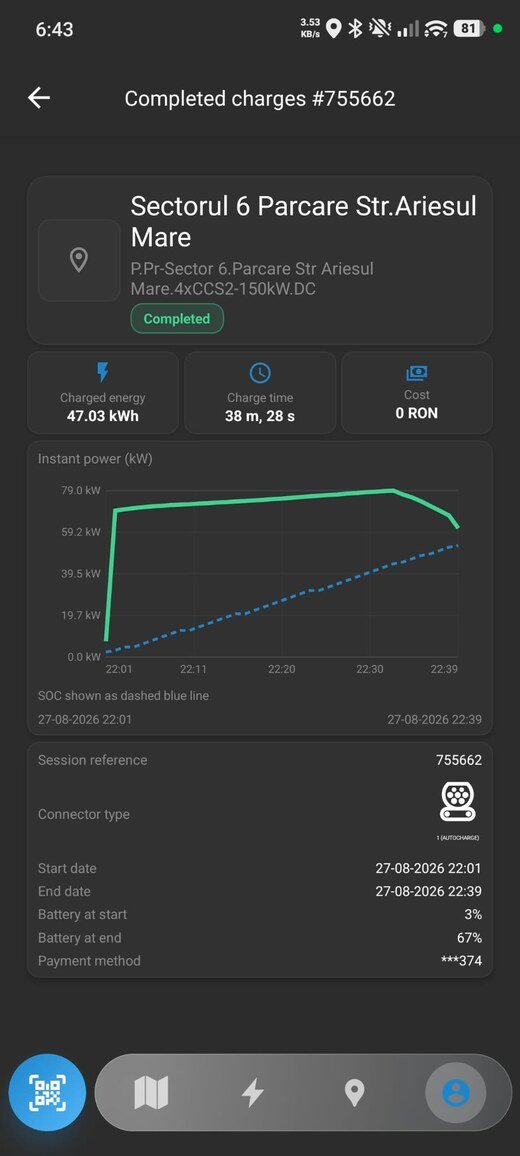
Track the session while charging, then review energy, duration, power, cost, and session details once charging is complete.
After setup, compatible vehicles can be recognized automatically when connected to supported stations, allowing the charging session to start with minimal interaction.
ISO 15118-based authentication can be enabled on compatible vehicles and supported charging infrastructure where the functionality is available.
RFID, QR and app-based session start remain available where supported.
Find available chargers near you, updated in real time. Filter by speed: 22 kW AC through 400 kW DC.
No subscription traps, no hidden surge fees, no post-session surprises.
CCS2, CHAdeMO, Type 2, GB/T. Full compatibility with every EV sold in Europe and Latin America.
Start, monitor, pause and stop sessions from the app. Notifications when charging is complete.
Full session records with energy, duration, pricing, and VAT breakdowns in your account.
Call our multilingual support team from the app for immediate remote reboot assistance.
Discover flagship charging locations across the Voltrelli network, with fast charging, easy access, and infrastructure designed for drivers on the move.
Use the Voltrelli App to find stations, start charging in seconds, track your session live, and manage payment and billing from one place.